Tracking and multiplayer for headsets sharing one room.
Lodestar keeps every headset aligned to the building, and handles the networking between them. Attach a tracker anywhere on any headset, connect the Unity or Unreal client, and your players share one space.
Tracking and multiplayer are usually two separate problems.
Players in a shared room need a common spatial reference, and a network layer that knows they are standing next to each other. Most options give you one of those, and usually only for one brand of headset.
Vendor colocation SDK
Locked to one headset
Alignment features shipped by a headset manufacturer for their own hardware.
Ties the experience to a single vendor
Alignment only, so you still build the multiplayer
Shared maps degrade in large or changing spaces
Re-scanning the room interrupts a live session
Optical tracking rig
An install project
Outside-in camera arrays adapted from motion capture.
Cameras, mounts and cabling throughout the venue
Survey and calibration on every install
Occlusion when players cluster or crowd a prop
Still leaves the multiplayer layer to you
Lodestar
One system for both
Tracking and colocated multiplayer designed together and shipped as one system.
One tracker, mounted anywhere, on any headset
Venue alignment and multiplayer in a single server
Self-calibrating, so there is nothing to survey
Covers a whole venue, not a small shared area
Shared coordinate frame
One coordinate system for the whole venue.
Every headset starts up with its own idea of where it is, and no two agree. Lodestar works out how each one relates to the building, then hands every client positions in one shared frame of reference.
Players stay consistent with one another and with the physical room, so walls, props, floors and safety boundaries all keep their place.
Up to 30,000 sq ftOne continuous tracked space, in any room shape, across multiple rooms.
Absolute, not relativePositions are tied to the venue, so virtual content lines up with the real room.
One shared originSet the room alignment once on the server and every client receives it.
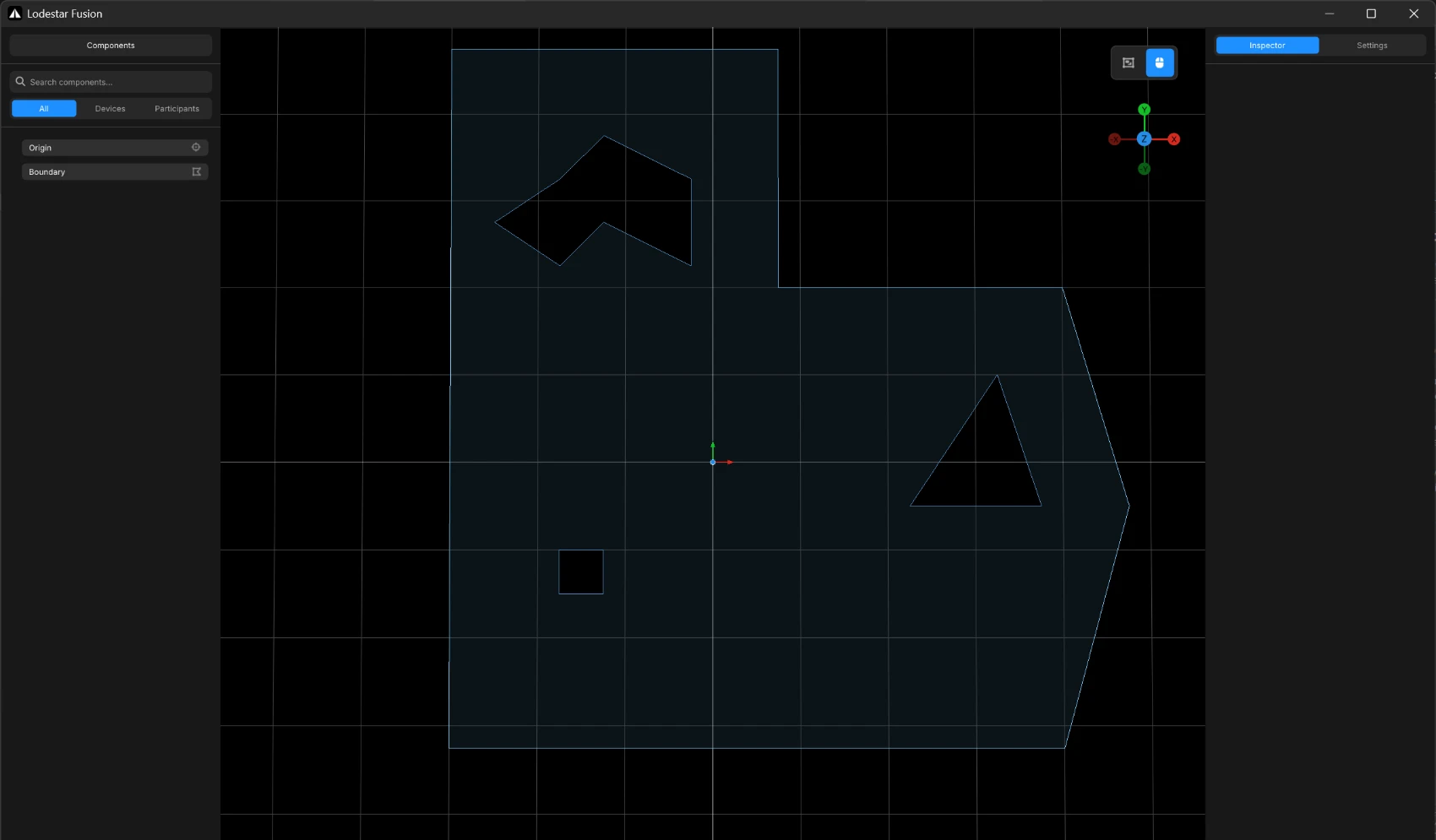
Boundary includedDraw the play area once, including anything in the middle of it, and every headset gets the same one.
TrackerBoundaryOrigin
Continuous drift correction
Headset tracking, corrected against the building.
Headset tracking is fast and responsive, but it slowly loses its place as a player covers a large venue. Lodestar combines wireless measurements from the venue anchors with the headset's own tracking, and corrects that drift while the session runs.
There is no recentering step, no vendor shared map, and no camera array. The alignment simply holds.
Runs while you playCorrection is applied continuously, not at checkpoints or when a player re-scans the room.
Self-locating anchorsLodestar works out where the anchors are, and where the tracker sits on the headset.
Tuned to the spaceHow firmly Lodestar corrects can be adjusted to suit the venue.
Survives reconnectsLodestar remembers each machine, so a headset that drops out rejoins already aligned.
Headset tracking aloneerror 0.00 m
True position in the venuePosition reported to the game
With Lodestarerror 0.00 m
True position in the venuePosition reported to the game
Purpose-built multiplayer
Multiplayer built for one physical room.
General-purpose netcode is written for players in different buildings. Lodestar starts from the opposite assumption: a common room origin, a shared safety boundary, everyone placed in the same coordinates, and an operator watching the floor.
The same local server that runs the tracking runs the session. There is nothing else to stand up, and nothing leaves the venue network.
Server
Tracking, fusion and session state, with a desktop interface to control all of it
Headset clients
Player 1Unity
Player 2Unreal
Player 3Unity
Player 4Unity
Participants
Every client gets each player's position in the shared space, many times a second. Names travel with them, and a player who drops out and comes back is recognized as the same person.
Entities
Any client can spawn prefab instances it owns. The server assigns keys and replicates transforms in batches, so props, projectiles and held objects stay in sync without custom netcode.
Properties
Attach your own values to the room, a player or an object: numbers, text, positions or raw data. Scores, teams and game state stay in sync without writing a message type for each one.
Actions
One-shot events that always arrive, fired at the room or from a player. Use them for triggers, effects and round changes that everyone has to see.
Room origin
One transform decides where the virtual scene sits in the physical venue. Set it from the server or any client and every headset moves its content together.
Room boundary
The play area, including anything in the middle of it, is drawn on the server and sent to clients as real geometry, rather than a guardian each player sets up on their own headset.
Engine integration
Peer poses arrive in venue coordinates.
The client library is a small C ABI. The Unity and Unreal SDKs wrap it in engine-native components, so integrating usually means adding a prefab or actor, pointing it at the server, and reading peers back out.
Both SDKs are free to download, so your team can build against Lodestar and have the integration finished before any hardware arrives.
// Join the venue session.
Client.Init();
Client.Connect("192.168.1.20", 48127,
autoConnect: true, username: "player-1");
// Each frame: publish the headset pose.
Client.Self.UpdatePose(head.position, head.rotation,
Time.timeAsDouble);
// Peers come back in shared venue coordinates.foreach (Client.Peer peer in Client.Peers.Values)
avatars[peer.ID].SetPositionAndRotation(
peer.Pose.Position, peer.Pose.Orientation);
// Join the venue session.
ULodestarClient* Lodestar = ULodestarClient::Get(this);
Lodestar->Connect(TEXT("192.168.1.20"), 48127,
                   true, TEXT("player-1"));

// Each frame: publish the headset pose.
Lodestar->UpdateSelfPose(Headset->GetComponentTransform(),
                        TimestampSeconds);

// Peers come back in shared venue coordinates.
FTransform PeerPose;
for (int32 PeerId : Lodestar->GetPeerIds())
    if (Lodestar->GetPeerPose(PeerId, PeerPose))
        Avatars[PeerId]->SetActorTransform(PeerPose);
/* Join the venue session. */lodestar_client_init();
lodestar_client_connect("192.168.1.20", 48127,
true, NULL, "player-1");
/* Each frame: publish the headset pose. */lodestar_client_update_pose(&headPose, timeSec);
/* Peers come back in shared venue coordinates. */uint8_t ids[32];
uint8_t n = lodestar_client_get_peer_ids(ids, 32);
for (uint8_t i = 0; i < n; i++)
lodestar_client_get_peer_pose(ids[i], &peer[i]);
Operator console
Everything runs from one application.
Lodestar Fusion is a desktop application, not a config file. Operators see the floor in 3D: anchors, tracked players, the boundary and the shared origin, all in the same view.
Live component list
Anchors, players, the origin and the boundary are all things you can select and edit. Pair a tracker with a player, rename them, or reset one that needs it, while the session keeps running.
Alignment tools
Place the shared origin to line the virtual scene up with the real room, then draw the play area around it. Both go out to every headset, so nobody sets up their own.
Saved between sessions
Tracker and player pairings are remembered, and every setting is saved, so a venue comes back up exactly as it was left.
Venue setup
Setting up a venue.
There is no camera grid to survey, no per-headset room setup, and no marker to re-scan between groups. A typical venue is calibrated and ready for engine integration the same afternoon.
1
Place the anchors
Set pucks around the venue and mount one anywhere on each headset. No cameras, no cabling, no measuring.
2
Walk the space
Carry one headset around the venue for five to ten minutes. Lodestar works out where everything is on its own.
3
Add the SDK
Point the Unity or Unreal client at the server. It gets positions that are already aligned to the venue, plus the shared room setup.
4
Run the session
Players, entities, properties, events and the boundary stay in sync. Operators manage it all from the server.
The hardware
One device, two roles.
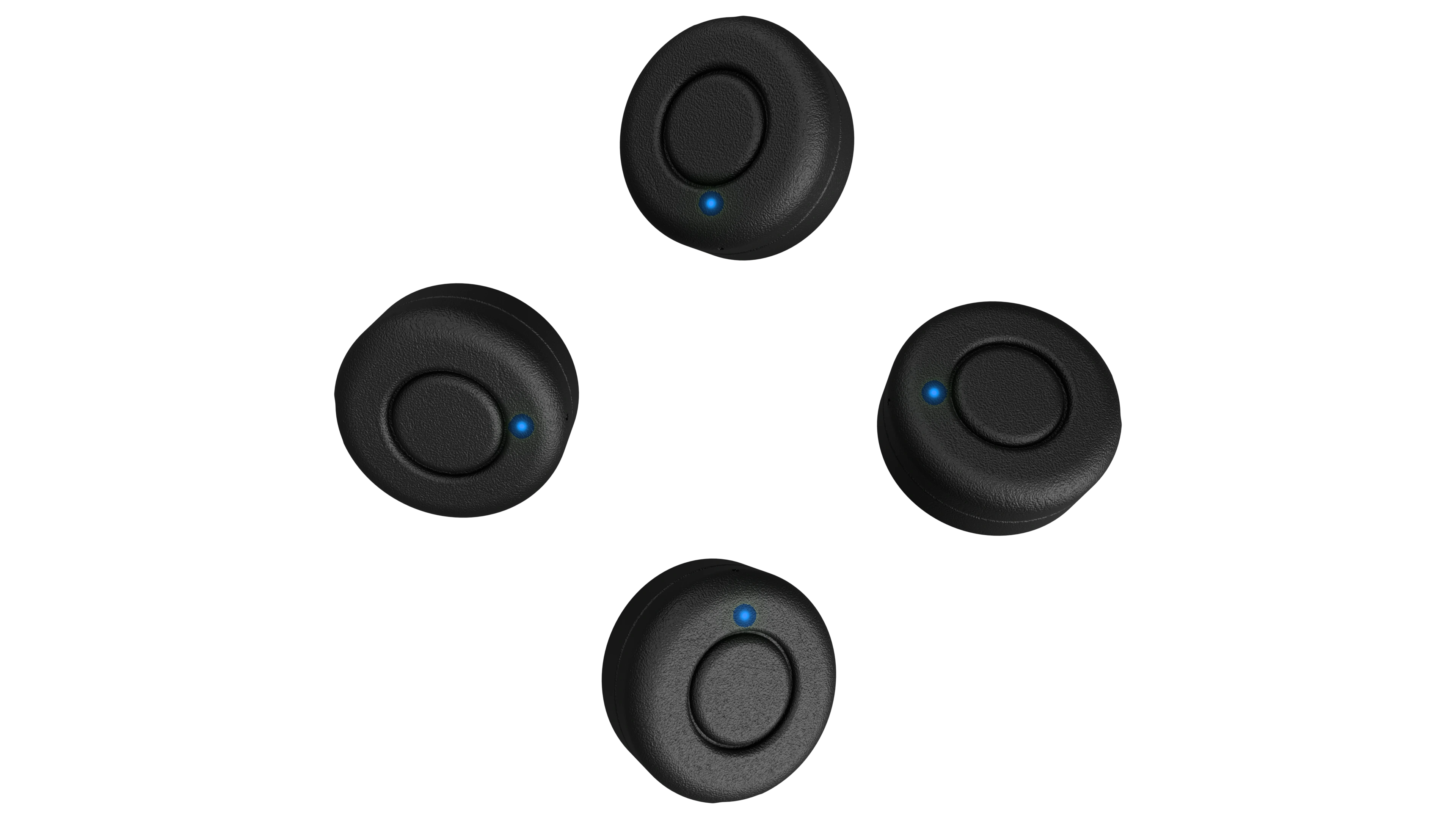
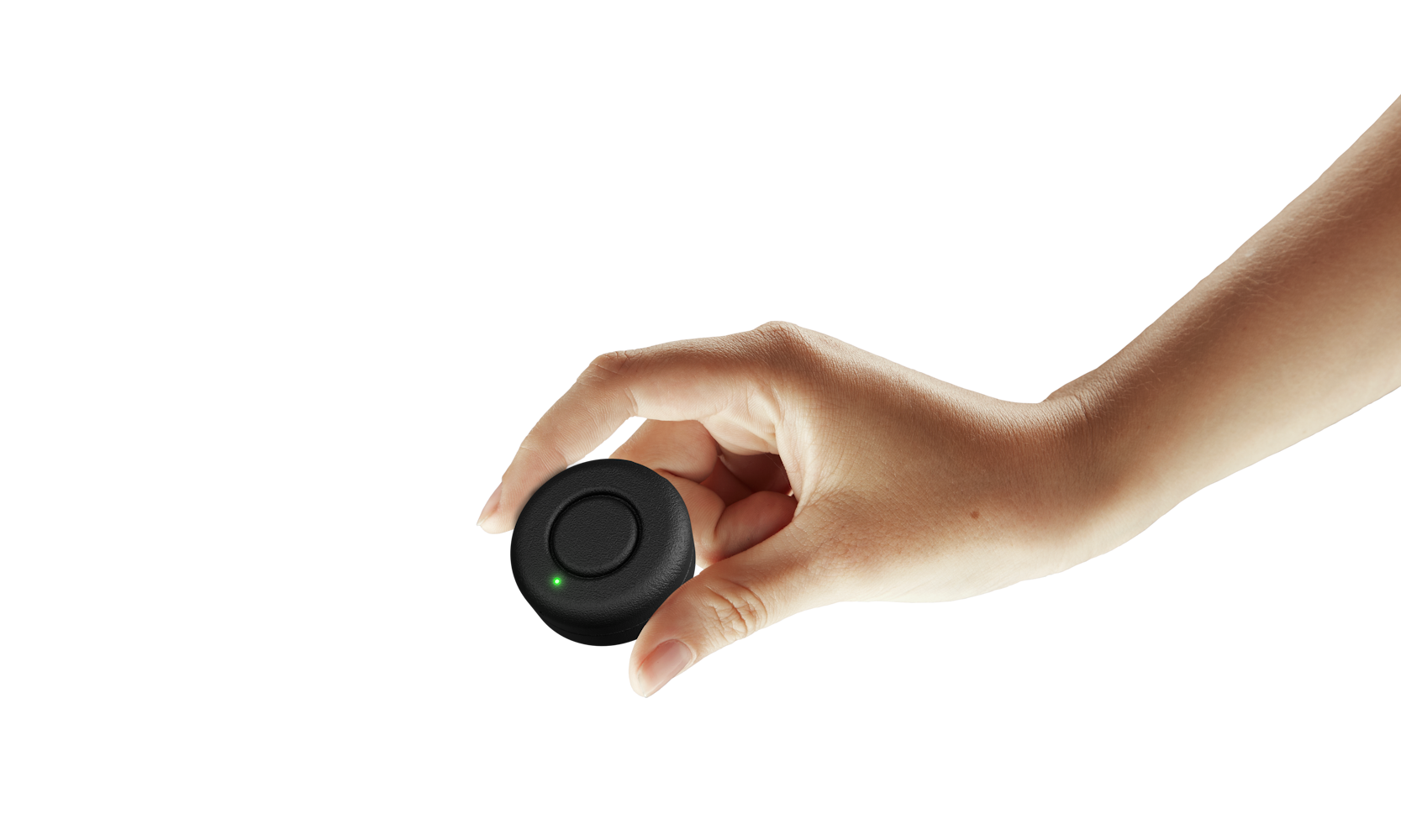
Lodestar runs on a single wireless puck. Configure it as a fixed venue anchor or as a headset tracker, and the platform works out the rest.
Lodestar works out where the tracker sits on the headset by itself, so it can go wherever it fits: strap, top plate, counterweight or battery pack. There is nothing to measure and nothing to keep identical between units.
Weight
25 g
Size
42.2 × 19.3 mm
Native tracking rate
100 Hz
Battery life
4 to 6 hours
Link
Completely wireless
As an anchor
Four to six pucks cover a typical venue. Place them around the space, power them up, and Lodestar works out where they are during setup. No survey, no data cabling, no mounting rig.
As a tracker
At 25 grams it adds no meaningful weight to a headset, and players never interact with it. Mount it wherever it fits, because Lodestar works out its position for you.
Use cases
Where Lodestar runs.
Lodestar is infrastructure. The same install carries different titles, different content and different groups without being rebuilt around each one.
XR arcades
Run several free-roam titles on one venue-wide tracking and multiplayer system, with one operator view.
Training and simulation
Keep trainees, physical equipment and the shared scenario in the right places relative to one another.
Attractions
Cycle groups through a fixed experience with central control over the room, the boundary and the players.
Museums and education
Fit shared immersive content precisely into exhibitions, galleries and teaching spaces.
Lodestar is headset-agnostic by design. The tracker mounts on the outside of the headset and the SDK plugs into Unity or Unreal, so support comes down to the engine rather than the headset maker. Tell us which headsets you run and we will confirm the current list.
Can different headset models share one session?
Yes. Everyone ends up in the same venue coordinates no matter which headset they are wearing, so mixed groups work the same as matched ones.
Do the anchors need to be surveyed or measured?
No. Place them, then carry one headset around the venue for five to ten minutes. Lodestar works out where the anchors are, and where the tracker sits on the headset, by itself.
Does Lodestar need internet access?
No. The server, the tracking and the multiplayer session all run on the venue's local network. Nothing has to leave the building.
Do we still need a separate multiplayer solution?
No, that is the point. Players, objects, properties, events, the shared origin and the boundary all travel through Lodestar Fusion, which also handles the tracking.
What happens when a headset drops out mid-session?
Clients reconnect on their own, and the server recognizes the machine when it comes back. Its tracker pairing and its alignment are restored, so it rejoins ready to play rather than starting over.
How large a space can one system cover?
A single tracked space of up to about 30,000 sq ft, including irregular and multi-room layouts. Larger or unusual venues are worth a conversation.
Get started
Tell us about your project.
Send us the venue, the headsets and the engine. We will come back with a starting configuration and what a deployment looks like.